
Introducing the fastest column capacity check for adding attachments!
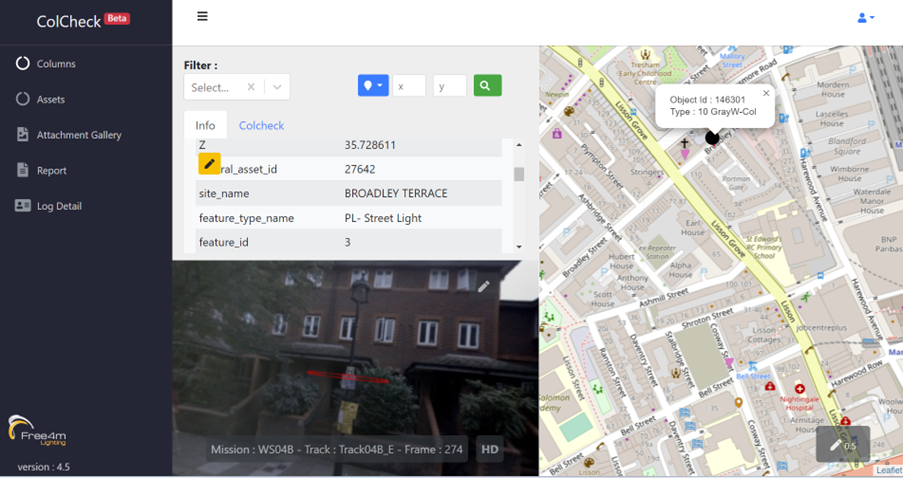
ColCheck links to your database and extracts column information such as height, diameter and minimum wall thickness to calculate structural capacity when dealing with new attachments.
Users can see columns using street view within the App to ensure they have the correct column before adding the attachment at the desired height and offset.
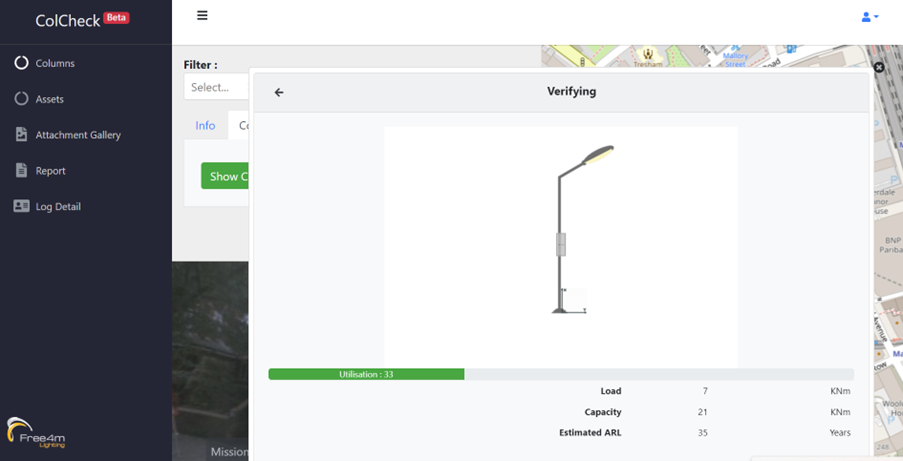
Utilizing the App's street view functionality, users can visually examine columns, guaranteeing the accurate selection of the suitable one prior to attaching items at their preferred elevation and offset. Via the App's street view functionality, users can analyse columns to gather vital information about Load, Capacity, and Assumed Residual Life (ARL). This feature allows users to visually assess the load-bearing capabilities of columns, understand their structural capacity, and gain insights into the projected age of the column. By utilizing this feature, users can make informed decisions about the suitability of a column for attaching items, taking into consideration its current load, capacity limits, and estimated remaining lifespan. This information empowers users to ensure that attachments are added to columns that possess the necessary strength and longevity to support the intended use. In essence, the App's street view feature provides users with a comprehensive understanding of column attributes, enabling them to make well-informed choices and optimize the attachment process while prioritizing safety and efficiency.
a
A
A
A
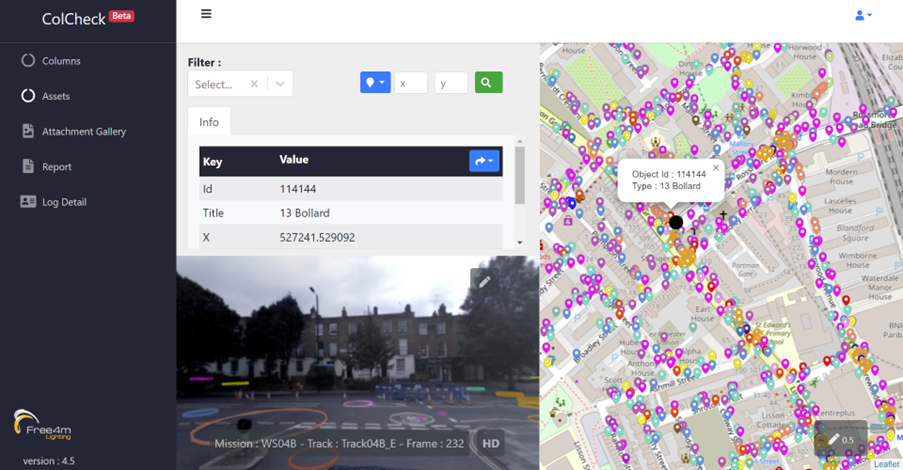
While the primary focus of this application revolves around providing information about urban assets like benches, trash bins, signs, bollards, and pedestrian crossings, it's the exceptional 360-degree street view feature that stands out. ColCheck employs AI technology for the purpose of choosing urban assets. This feature enables users to not only interact with typical urban elements but also engage with their surroundings through immersive visual assessments. By offering a comprehensive view of various urban structures and objects, this application goes beyond conventional asset management, allowing users to make well-informed decisions based on real-world perspectives. In essence, the 360-degree street view feature elevates the app's functionality, providing a unique vantage point for users to explore, analyse, and optimize the utilization of urban assets.
A
Column not strong enough?
ColCheck allows users to change the attachment or height and check again. When the user is satisfied the column has the residual strength the proposal can be uploaded for checking and approval by the Lighting Manager.
Never had a financial contribution from 3rd party applicants?
With ColCheck users see the theoretical reduced life of a column when new attachments are added, allowing asset owners to agree financial contributions, sometimes called commuted sums.